
NextJS üçün Kofe.al Widgeti

This post is synced from my website using webhooks.
1. Mühit
Bu component NextJS 15 və üzəri versiyalar üçün hazırlanmışdır. NextJS layihələrində əvvəlcədən olan “next/image” və “next/font” xaricində heç bir əlavə kitabxana yükləmək lazım deyil. Tailwind CSS-i konfiqurasiya etdikdən sonra bizə lazım olan hər şey hazırdır.
2. Qaynaq kodu
İndi isə layihənizdə yeni kofeal-widget.tsx adlı component yaradın. Aşağıdaki qaynaq kodunu kopyalayaraq həmin fayla yapışdırın və widget hazırdır.
import { Poppins } from "next/font/google";
import Image from "next/image";

const poppins = Poppins({ subsets: ["latin"], weight: "600" });
type KofeAlWidgetProps = { isActiveOnMobile?: boolean; isHoverable?: boolean; username: string };

export function KofeAlWidget({ isActiveOnMobile = false, isHoverable = false, username }: KofeAlWidgetProps) {
  return (
    <div
      className={`group ${poppins.className} ${isActiveOnMobile ? "flex" : "hidden md:flex"} pointer-events-none sticky right-0 bottom-0 z-0 w-full cursor-auto flex-row justify-end pr-5 pb-5 md:pr-7 md:pb-7`}
    >
      <a
        className="pointer-events-auto flex w-fit animate-[kofeal-pop_0.3s_ease-out_0.3s_both] cursor-pointer flex-row items-center rounded-full bg-white p-3 shadow-[0px_0px_30px_0px_rgba(0,0,0,0.04),0px_30px_60px_0px_rgba(0,0,0,0.12),0px_0px_1px_0px_rgba(0,0,0,0.3)] group-hover:p-0"
        href={`https://kofe.al/@${username}`}
        rel="noopener noreferrer"
        target="_blank"
      >
        <div
          className={`transition-all duration-200 ${isHoverable && "group-hover:lg:w-auto group-hover:lg:px-4 group-hover:lg:py-2 group-hover:lg:pl-6"}`}
        >
          <p className={`hidden text-lg ${isHoverable ? "group-hover:lg:flex" : ""}`}>
            <span className="bg-linear-to-r from-blue-600 to-purple-600 bg-clip-text text-transparent">kofe.al</span>
            /@{username}
          </p>
        </div>
        <div
          className={
            "animate-[kofeal-wiggle_5.7s_ease-in-out_infinite] group-hover:rounded-full group-hover:p-3 group-hover:shadow-[0px_0px_30px_0px_rgba(0,0,0,0.04),0px_30px_60px_0px_rgba(0,0,0,0.12),0px_0px_1px_0px_rgba(0,0,0,0.3)]"
          }
        >
          <Image
            // src="/kofeal.webp" You can also download this image and serve from public folder.
            src="https://kofe.al/assets/images/fav/apple-touch-icon.png"
            alt="Kofe al"
            className="rounded-full select-none"
            width={40}
            height={40}
            quality={100}
          />
        </div>
      </a>
      <style>{`
        @keyframes kofeal-pop {
          from { opacity: 0; transform: scale(0.3); }
          to { opacity: 1; transform: scale(1); }
        }
        @keyframes kofeal-wiggle {
          0% { transform: rotate(0deg); }
          4.21% { transform: rotate(-11deg); }
          8.42% { transform: rotate(11deg); }
          12.63% { transform: rotate(-11deg); }
          16.84% { transform: rotate(11deg); }
          21.05%, 100% { transform: rotate(0deg); }
        }
      `}</style>
    </div>
  );
}
3. İstifadə qaydası
Əgər widgetin bütün səhifələrdə görünməsini istəyirsizsə, layout.tsx faylınıza aşağıdaki kimi <KofeAlWidget /> -i əlavə edin
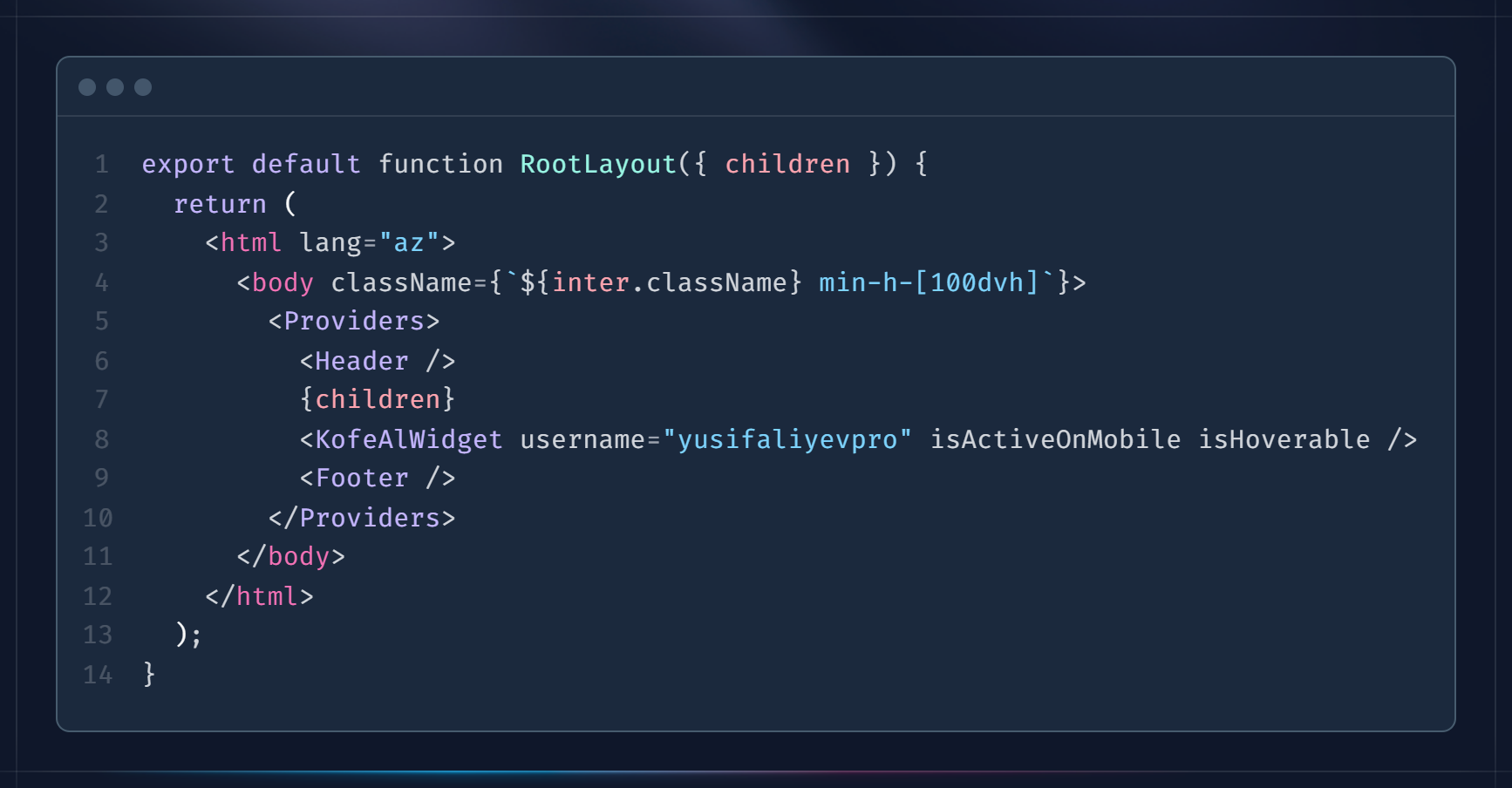
Yox əgər sadəcə bəzi səhifələrdə görünməsini istəyirsizsə bunu həmin səhifələrdə istifadə edin.
4. Proplar
username prop-unu widgetin düzgün çalışması üçün mütləq şəkildə verməlisiniz. Bu username sizin kofe.al saytında istifadə etdiyiniz istifadəçi adı olmalıdır.
isHoverable propu kursor ilə widgetin üzərinə gəldikdə sola doğru açılan kiçik popover-dir. İçərisində kofe.al/@username şəklində mətn olur.
isActiveOnMobile propu ilə bu widgetin mobil cihazlarda göstərilib-göstərilməyəcəyini seçirsiz.